
Core concepts
This page explains the key concepts you will encounter when using CLARITY. Understanding these fundamentals will help you get the most out of the platform.
Providers
CLARITY supports three cloud providers with consistent feature coverage:
| Provider | Billing Source | Resource Discovery | Commitment Types |
|---|---|---|---|
| AWS | Cost Explorer API | EC2, RDS, S3, ECS, EKS, Lambda, and more | Reserved Instances, Savings Plans |
| Azure | Cost Management API | VMs, SQL, Storage, AKS, App Services, and more | Reservations |
| GCP | BigQuery Billing Export | Compute, Cloud SQL, GKE, Cloud Storage, and more | Committed Use Discounts |
You can connect multiple accounts per provider. Each account syncs independently, and all data is presented in a unified view with provider-level filtering.
Credentials
CLARITY connects to your cloud accounts using read-only credentials:
- AWS: IAM user access keys with Cost Explorer, EC2, and CloudWatch read permissions
- Azure: Service Principal with Reader and Cost Management Reader roles
- GCP: Service Account with Viewer and Billing Account Viewer roles
Security
All credentials are encrypted at rest using AES-256 encryption with per-credential key derivation. Credentials are never logged, never displayed in the UI after entry, and never transmitted to external services.
CLARITY never creates, modifies, or deletes any resources in your cloud accounts. All access is strictly read-only.
Sync
CLARITY automatically collects data from your cloud providers on a configurable schedule. Each sync cycle pulls:
- Billing data — Service-level and resource-level cost breakdowns
- Resource inventory — Complete hierarchy of active resources
- Performance metrics — CPU, memory, network, and storage utilization
- Provider recommendations — Native optimization suggestions from AWS, Azure, and GCP
- Commitment details — Active reservations, savings plans, and committed use discounts
TIP
The first sync runs immediately after you add credentials. Subsequent syncs run automatically at the configured interval. You can also trigger a manual sync at any time from the provider settings.
After each sync, CLARITY automatically reconciles stale resources — if a resource no longer appears in your cloud account, it is marked accordingly in the inventory.
Cost allocation
CLARITY uses a 4-strategy allocation chain to assign costs to every resource in your inventory. Each strategy is tried in order, and the first one that produces a result is used:
Strategy 1: direct billing
Costs are pulled directly from your cloud provider's billing APIs (AWS Cost Explorer, Azure Cost Management, GCP BigQuery). This is the most accurate source and is used whenever available.
Highest accuracyStrategy 2: dynamic pricing
When direct billing data is not available at the resource level, CLARITY queries live pricing APIs for your provider and region. Pricing data is cached and refreshed periodically, with static fallback tables as a safety net.
API-based pricingStrategy 3: proportional allocation
For resources that are part of a service (e.g., individual containers within a cluster), CLARITY takes the known service-level cost and distributes it proportionally across child resources based on their relative size and utilization.
Service-level splitStrategy 4: Kubernetes namespace allocation
For Kubernetes workloads, costs are allocated at the namespace level based on actual CPU and memory consumption relative to total cluster capacity.
K8s nativeEvery cost figure in CLARITY includes a source indicator so you always know which strategy produced it.
Chargeback cascade
When distributing costs to cost centers via allocation rules, CLARITY evaluates rules in a 3-layer cascade: account-scoped rules first, then provider-scoped, then global. Within each layer, rules are evaluated by priority. This ensures that account-specific tagging conventions never accidentally capture costs from other accounts. Tag aliases automatically normalize tag key variations (e.g., Environment ≈ env ≈ Env) so rules work consistently across providers.
Insights
CLARITY surfaces optimization signals on a single page. Each insight is an observation about resource behavior plus, when applicable, the specific action that would resolve it — together on the same card.
| Layer | What it shows |
|---|---|
| Observation | What's wrong and why — e.g. "This VM averaged 3% CPU over 14 days" |
| Recommendation | The specific fix — e.g. "Downsize from m5.xlarge to m5.large to save $85/month" |
| Action | One-click Apply that records a baseline for the savings ledger, or Dismiss to mark reviewed |
| AI Explain | On-demand contextual analysis on any card |
Right-sizing data joins onto each insight automatically when a matching resource exists, so you no longer click between two pages for one decision. A separate Commitments page handles the buy-side complement — RI / SP / CUD planning.
Classification
Each insight is categorized by severity:
- Critical — Immediate action recommended (e.g., idle resources costing >$50/month)
- Warning — Optimization opportunity worth investigating
- Info — Informational observation, no immediate action needed
Anomalies
CLARITY continuously monitors your cloud spending patterns and flags statistical anomalies — cost spikes or drops that deviate significantly from historical baselines.
When an anomaly is detected:
- The deviation is quantified (percentage above/below expected spend)
- The affected service and region are identified
- If AI analysis is enabled, an automatic root cause explanation is generated
- Configurable alerts can notify your team via email
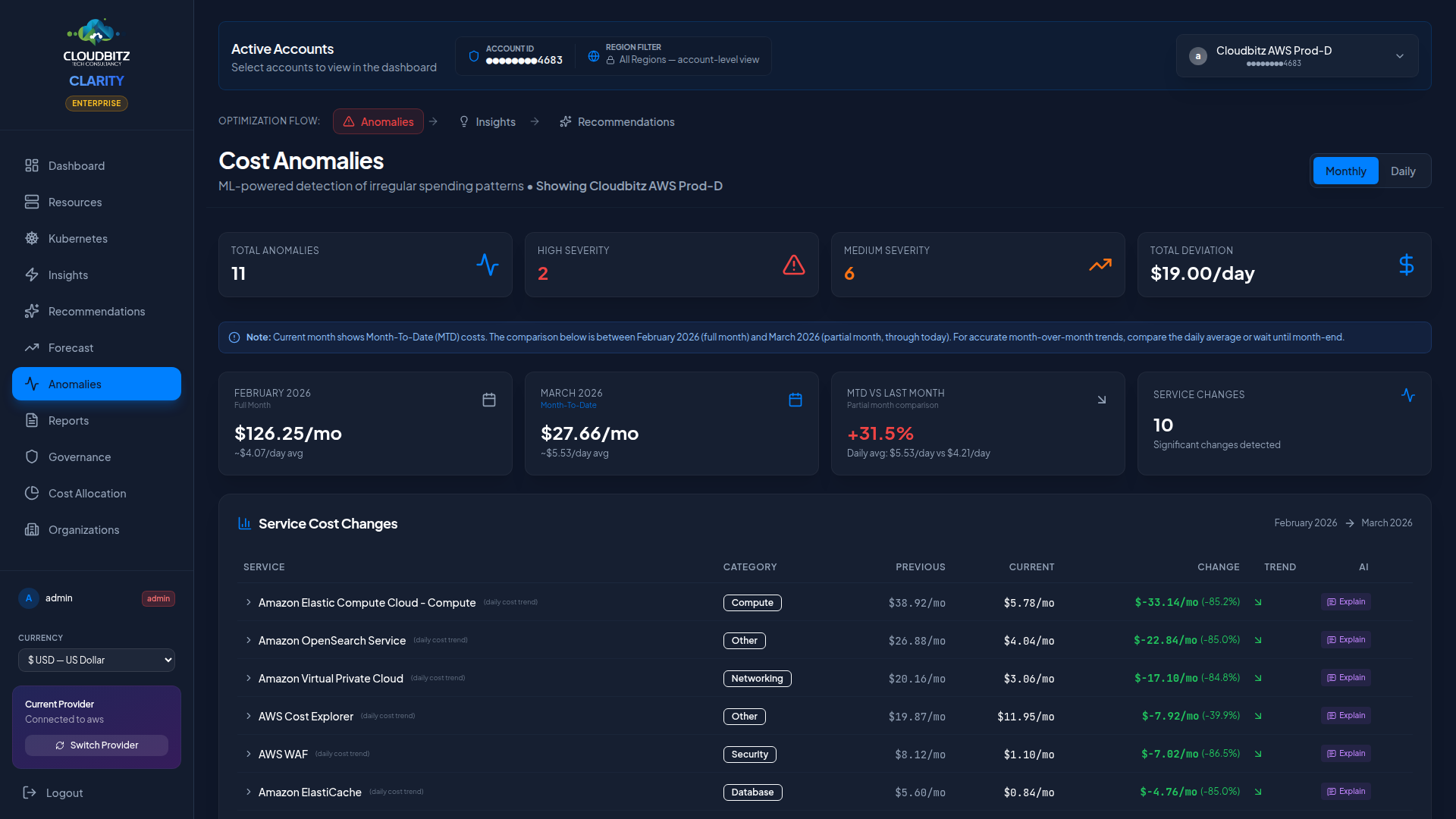
Anomaly detection uses rolling historical baselines, so seasonal patterns and expected growth are accounted for — you only get alerted on genuinely unusual spend changes.
Forecast
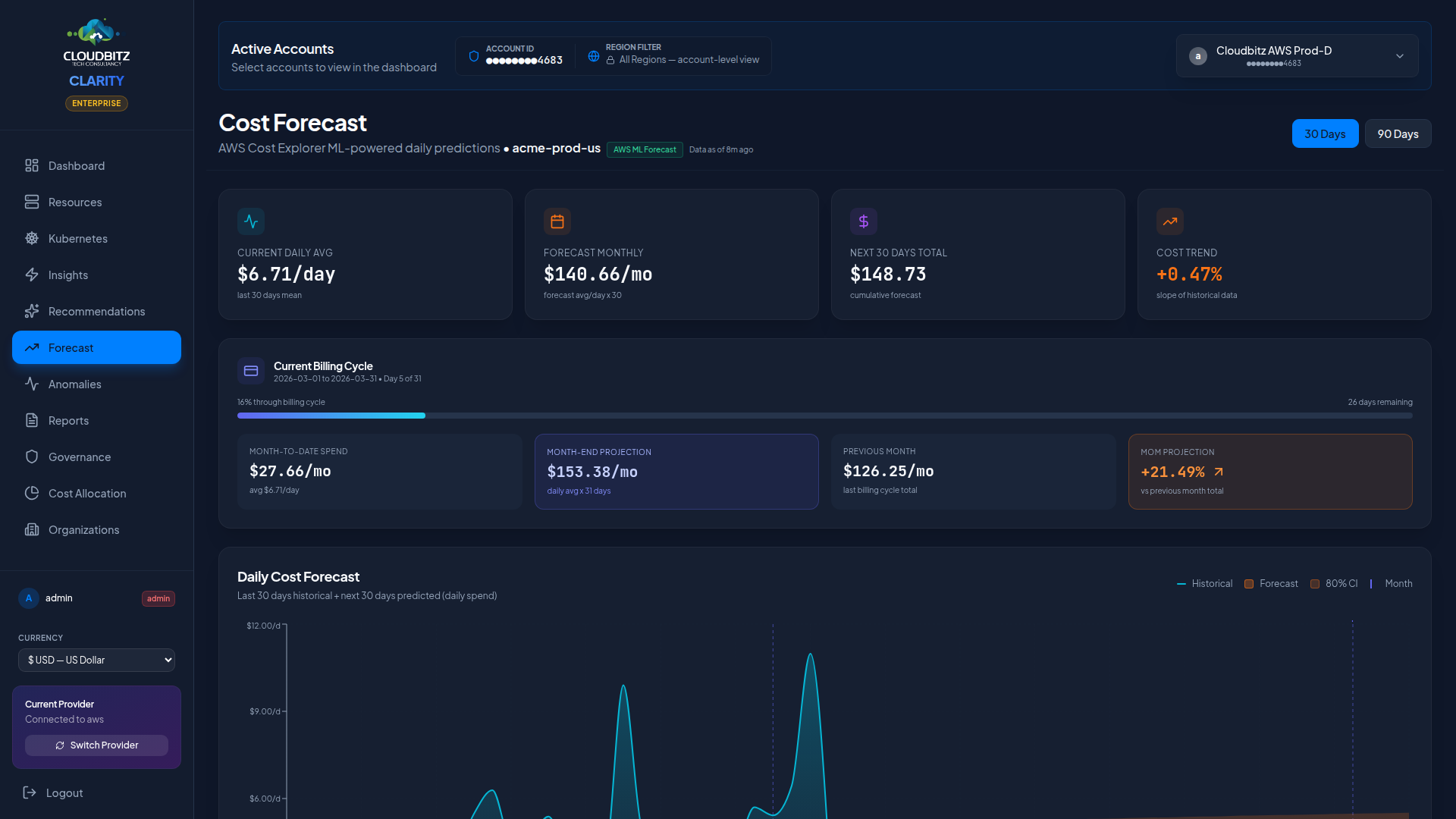
CLARITY projects your future cloud spend using multiple forecasting methods:
- Provider-native forecasts — AWS and Azure offer built-in forecasting APIs
- Regression-based projections — Statistical models fit to your historical billing data
- Trend extrapolation — Short-term projections based on recent spend velocity
Forecasts are calculated per provider and aggregated into a unified view. They account for actual billing days (not calendar days) and exclude incomplete data from the current day to avoid skewing projections.
TIP
Forecasts become more accurate as CLARITY accumulates more historical data. At least 14 days of billing history is recommended for reliable projections.
Tiers
CLARITY uses a subscription tier system to control feature access and resource limits. Your tier determines:
| Capability | What It Controls |
|---|---|
| Cloud accounts | Maximum number of connected provider accounts |
| Users | Maximum number of team members |
| Budgets | Number of budget alerts you can configure |
| Commitments | Access to RI/SP/CUD recommendation engine |
| Cost Allocation | Access to chargeback and showback features |
| AI Insights | Access to AI-powered analysis and explanations |
| Reports | Report generation and scheduled delivery |
Your current tier is displayed in the sidebar. Feature-gated capabilities show a clear indicator when they require a higher tier, so you always know what is available and what requires an upgrade.
Next steps
- Quickstart Guide — Connect your first cloud account
- Dashboard — Learn about the main dashboard
- Cloud Setup Guides — Detailed credential setup per provider