

Reports
The Reports page lets you generate professional cloud cost reports for different audiences — from executive summaries for leadership to detailed technical reviews for engineering teams.
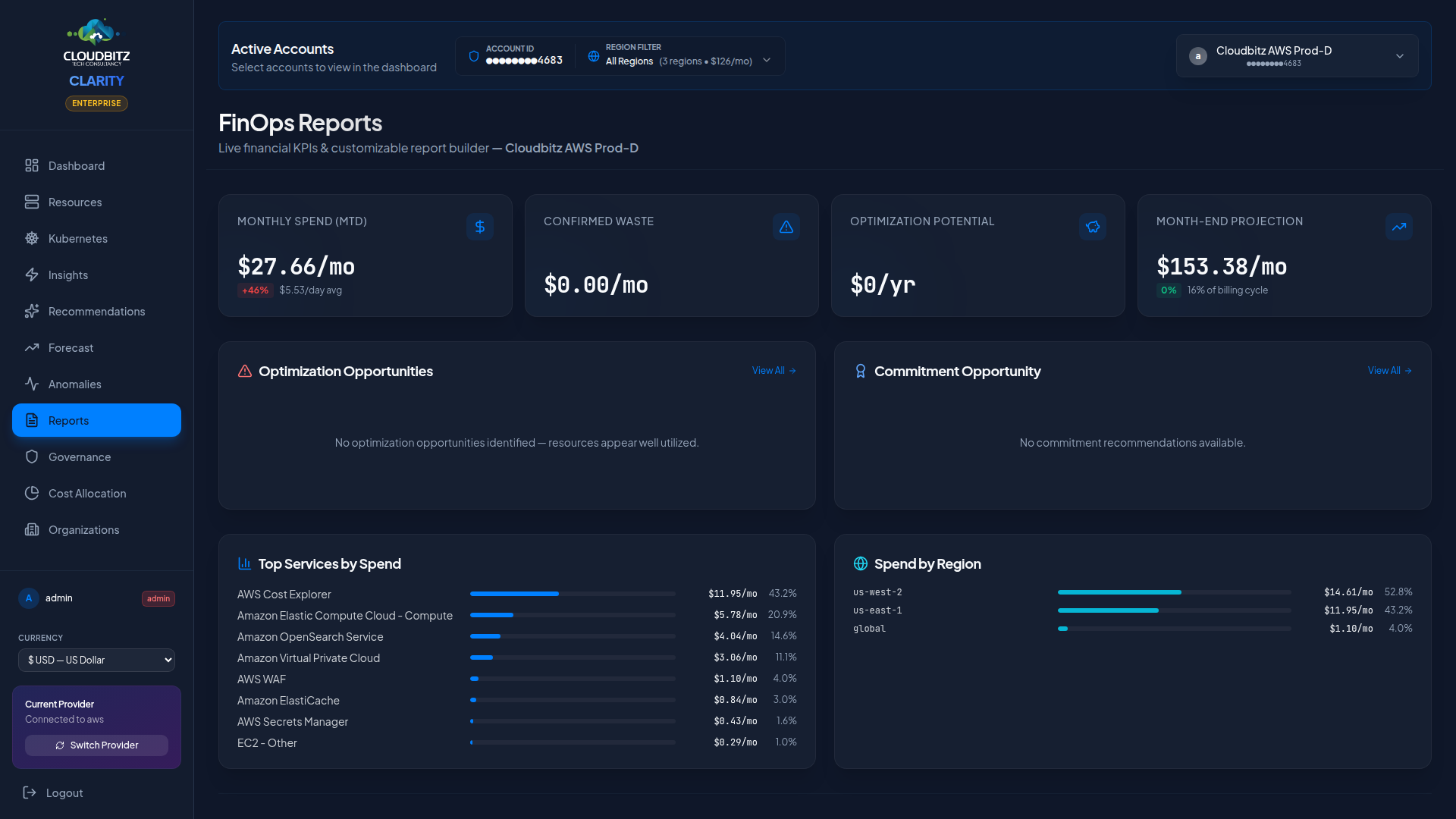
Report templates
CLARITY provides four pre-built templates, each tailored to a specific audience:
| Template | Audience | Focus |
|---|---|---|
| Executive Summary | C-suite, Finance | High-level spend, trends, and key savings opportunities |
| Detailed Analysis | Cloud/FinOps team | Deep dive into all cost dimensions with full data |
| Board Presentation | Board of Directors | Strategic overview with quarter-over-quarter trends |
| Technical Review | Engineering leads | Resource-level detail, right-sizing, and performance data |
Each template pre-selects the most relevant sections for its audience, but you can customize which sections to include.
Available sections
Reports are composed of modular sections. Select any combination:
| Section | Contents |
|---|---|
| Executive Summary | Total spend, MoM change, top savings, AI-generated narrative |
| Spend Analysis | Cost breakdown by service, category, region, and provider |
| Right-Sizing | Instance optimization recommendations with savings estimates |
| Optimization | All actionable recommendations ranked by savings potential |
| Anomalies | Detected cost anomalies during the reporting period |
| Forecast | Projected spend for the next 30 and 90 days |
| Commitments | Active commitments, utilization rates, and new recommendations |
| Inventory | Full resource inventory with cost and state information |
| Kubernetes | Cluster costs, namespace allocation, and K8s insights |
| Showback | Tag-based cost distribution by team or department |
| Tag Health | Cross-provider tag-coverage measurement — coverage % (count + cost-weighted), severity tier, worst-3 categories by gap, top 25 resources missing required tags. Surfaces the chargeback-accuracy disclosure that every other section's numbers depend on. |
| ROI Report | Counterfactual savings — actual spend vs. trajectory without CLARITY action |
| Business Outcomes | Per-cost-center spend rollup with budget vs. actual |
| Cross-Account | Multi-account comparison with provider summary, top movers, and waste hotspots |
| AI Validation | AI analysis results for insights and recommendations |
TIP
For recurring stakeholder reports, start with a template and remove sections that are not relevant. This keeps reports focused and readable.
Custom section selection
When creating a report, you can:
- Start from a template to get a sensible default selection
- Add or remove sections using the checkbox list
- Reorder sections by dragging them into your preferred sequence
- Save as a custom template for future use
Report generation
On-Demand reports
Click Generate Report to create a report immediately. The report covers the currently selected date range and provider filter.
AI-Enhanced narratives
When AI analysis is enabled, report sections include AI-generated narrative summaries that:
- Explain cost trends in plain language
- Highlight the most impactful findings
- Provide context for anomalies and recommendations
- Summarize the overall health of your cloud spend
INFO
AI narratives adapt to the report audience. Executive reports use business-friendly language, while technical reports include more detail about resource types and configurations.
Scheduling reports
Set up automated report delivery on a recurring schedule:
- Select the report template and sections
- Choose the frequency:
- Daily
- Weekly (select day of week)
- Monthly (generated on the 2nd of each month)
- Add email recipients
- Optionally set a provider filter (all providers or a specific one)
Scheduled reports are generated automatically and delivered to the specified email addresses.
PDF export
All reports can be exported as professionally formatted PDF documents:
- Cover page with organization name, report title, and date range
- Table of contents for multi-section reports
- Print-optimized layout with proper page breaks and margins
- Charts and tables rendered for print readability
Click the Export PDF button on any generated report to download it.
TIP
PDF exports are ideal for sharing with stakeholders who do not have access to the CLARITY platform, or for archiving monthly cost reports.
Organization-Aware reports
If you have multiple cloud accounts within an organization (AWS Organizations, Azure Management Groups), reports can include organization context:
- Org hierarchy visualization
- Per-account cost breakdown within the org
- Cross-account trends and anomalies
This context is automatically included when organization data is available.
Cross-Account executive report
The Cross-Account Executive template provides a consolidated view across all connected cloud accounts in a single report. It is designed for organizations managing multiple accounts across different providers.
The report includes:
- KPI summary — Total projected spend, month-over-month change, total waste, and number of active accounts
- Provider summary — Aggregated spend and account count per cloud provider
- Account ranking — All accounts ranked by projected spend, showing MTD cost, MoM change, waste, and waste ratio
- Top movers — Accounts with the largest month-over-month cost changes (positive or negative)
- Waste hotspots — Accounts with the highest optimization potential, ranked by waste amount
TIP
Use the Cross-Account report to identify which accounts need attention. Accounts with high waste ratios or large MoM increases are the best candidates for immediate optimization.