
Commitments
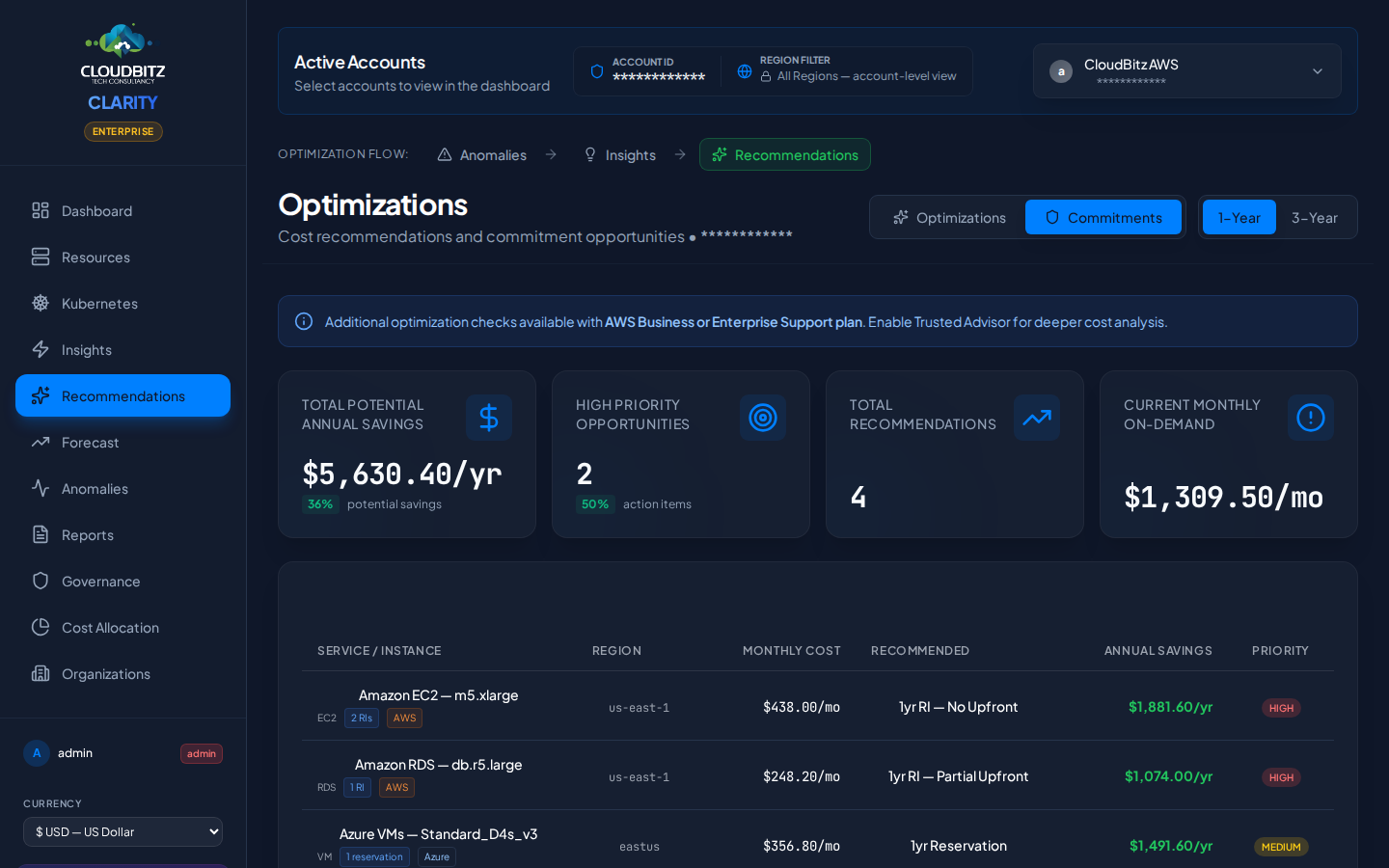
The Commitments page is the buy-side optimization surface in CLARITY — Reserved Instances, Savings Plans, and Committed Use Discounts. It's the structural complement to the Insights page, where per-resource right-sizing actions live: insights answer "what should I change about this resource?" and Commitments answers "what should I pre-buy to lower the rate I pay across many resources?"
Cloud providers offer significant discounts when you commit to sustained usage — CLARITY tracks your active commitments and recommends new ones based on your actual consumption patterns.
What are Cloud commitments?
Cloud commitments are agreements to use a certain amount of resources over a fixed term (typically 1 or 3 years) in exchange for a discounted rate compared to on-demand pricing.
| Provider | Commitment Types | Typical Savings |
|---|---|---|
| AWS | Reserved Instances (RIs), Savings Plans | 30-60% off on-demand |
| Azure | Reservations | 30-60% off pay-as-you-go |
| GCP | Committed Use Discounts (CUDs) | 37-55% off on-demand |
INFO
Commitments are the single largest cost optimization lever for most organizations. A well-managed commitment portfolio typically reduces cloud spend by 30-40%.
Commitment types by provider
AWS
- Reserved Instances (RIs) — Capacity reservation for specific instance types in specific regions. Available for EC2, RDS, ElastiCache, and other services.
- Savings Plans — Flexible commitment to a dollar amount of compute usage per hour. Applies automatically across instance families, regions, and services.
Azure
- Reservations — Pre-purchase of Azure resources (VMs, SQL Database, Cosmos DB, etc.) at discounted rates. Applied automatically to matching usage.
GCP
- Committed Use Discounts (CUDs) — Commitment to use a minimum level of vCPUs and memory in a specific region. Applied automatically to eligible Compute Engine and Cloud SQL workloads.
1-Year vs. 3-Year terms
Longer commitments offer deeper discounts but less flexibility:
| Factor | 1-Year Term | 3-Year Term |
|---|---|---|
| Discount depth | Moderate (20-40%) | Deep (40-60%) |
| Flexibility | Can reassess annually | Locked for 3 years |
| Risk | Lower — easier to adapt to changes | Higher — workload may change |
| Best for | Dynamic workloads, growing teams | Stable, predictable baselines |
TIP
Start with 1-year commitments for workloads you are confident about. Graduate to 3-year terms only for resources that have been consistently utilized for 6+ months.
Commitment inventory
The inventory tab shows all active commitments across your cloud accounts:
- Commitment type and provider
- Term (1-year or 3-year) and expiration date
- Utilization rate — What percentage of the commitment is being used
- Effective savings — Actual savings realized vs. on-demand pricing
- Status — Active, expiring soon, or expired
Expiring Commitments
Commitments approaching their expiration date are highlighted. Review these early to decide whether to renew, modify, or let them expire based on current usage patterns.
Savings recommendations
CLARITY analyzes your on-demand usage to identify where new commitments would yield the greatest savings. Each recommendation includes:
| Field | Description |
|---|---|
| Resource/Service | What the commitment covers |
| Recommended Type | RI, Savings Plan, Reservation, or CUD |
| Term | 1-year or 3-year |
| Estimated Monthly Savings | Projected savings compared to current on-demand cost |
| Break-Even Point | When cumulative savings exceed the commitment cost |
| Confidence | Based on usage consistency over the analysis period |
How to evaluate a recommendation
Before purchasing a commitment, consider these factors:
1. usage stability
Is the resource running consistently? Check the utilization history over the past 3-6 months. A resource that spikes occasionally but sits idle most of the time is a poor candidate.
2. growth plans
Are you planning to scale this workload up or down? A commitment locks you into a specific capacity level.
3. migration timeline
If you are planning to migrate to a different instance type, region, or even provider, a commitment may become stranded.
4. payment preference
Most commitments offer payment options:
| Payment | Discount | Cash Flow Impact |
|---|---|---|
| All Upfront | Highest discount | Large upfront cost |
| Partial Upfront | Moderate discount | Split between upfront and monthly |
| No Upfront | Lowest discount | Monthly payments only |
5. provider filter
Use the provider filter to focus recommendations on a single cloud. This is useful when you have separate budgets or approval processes per provider.
Commitment coverage
The coverage view shows what percentage of your eligible usage is covered by commitments:
- Covered — Usage matched by an active commitment (discounted rate)
- Uncovered — On-demand usage that could benefit from a commitment
- Wasted — Committed capacity that is not being utilized
The goal is to maximize coverage while minimizing waste.